> For the complete documentation index, see [llms.txt](https://docs.re-marketing.click/llms.txt). Markdown versions of documentation pages are available by appending `.md` to page URLs; this page is available as [Markdown](https://docs.re-marketing.click/tai-lieu/cai-dat-cong-cu-gui-tin-nhan-tu-dong-re-marketing-trong-1-phut.md).
# Cài đặt công cụ gửi tin nhắn tự động RE:Marketing trong 1 phút
RE:Marketing - Tự động hóa quy trình gửi tin nhắn chăm sóc tới khách hàng cũ qua Facebook, Pancake. Được chứng nhận bởi Google.
{% hint style="info" %}
Các trình duyệt hỗ trợ phần mềm: Google Chrome, Cốc Cốc, Microsoft Edge, Opera Chromium, Brave,..
{% endhint %}
### Bước 1: Truy cập **Google Extension Store** để [cài đặt phần mềm tại đây.](https://chromewebstore.google.com/detail/remarketing/enlgkmbkbkglicgibhffepnaniamjaej?hl=vi)
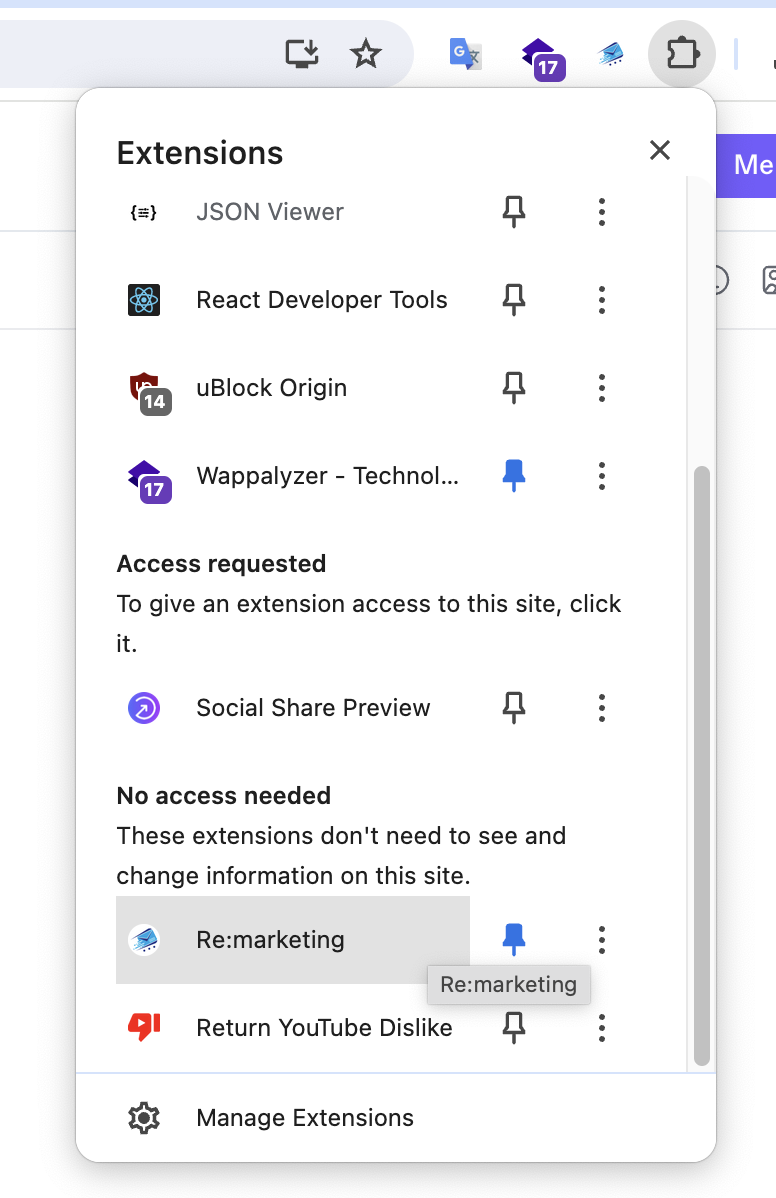
### Bước 2: Sau khi cài đặt, nhấn chuột vào phần mềm để mở giao diện phần mềm.
### Bước 3: Sẵn sàng sử dụng!!!
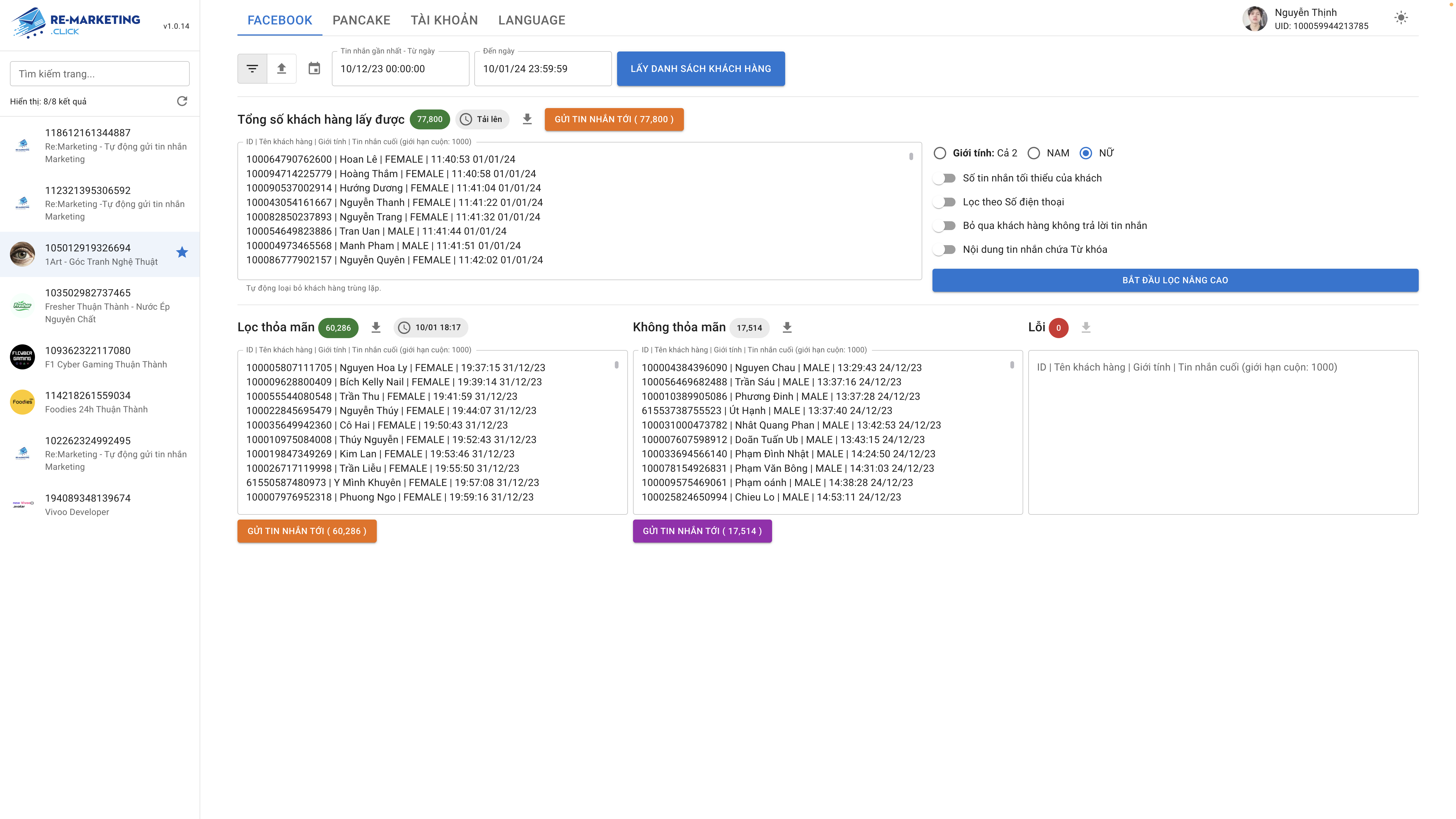
Chọn đối tượng khách hàng để gửi tin nhắn
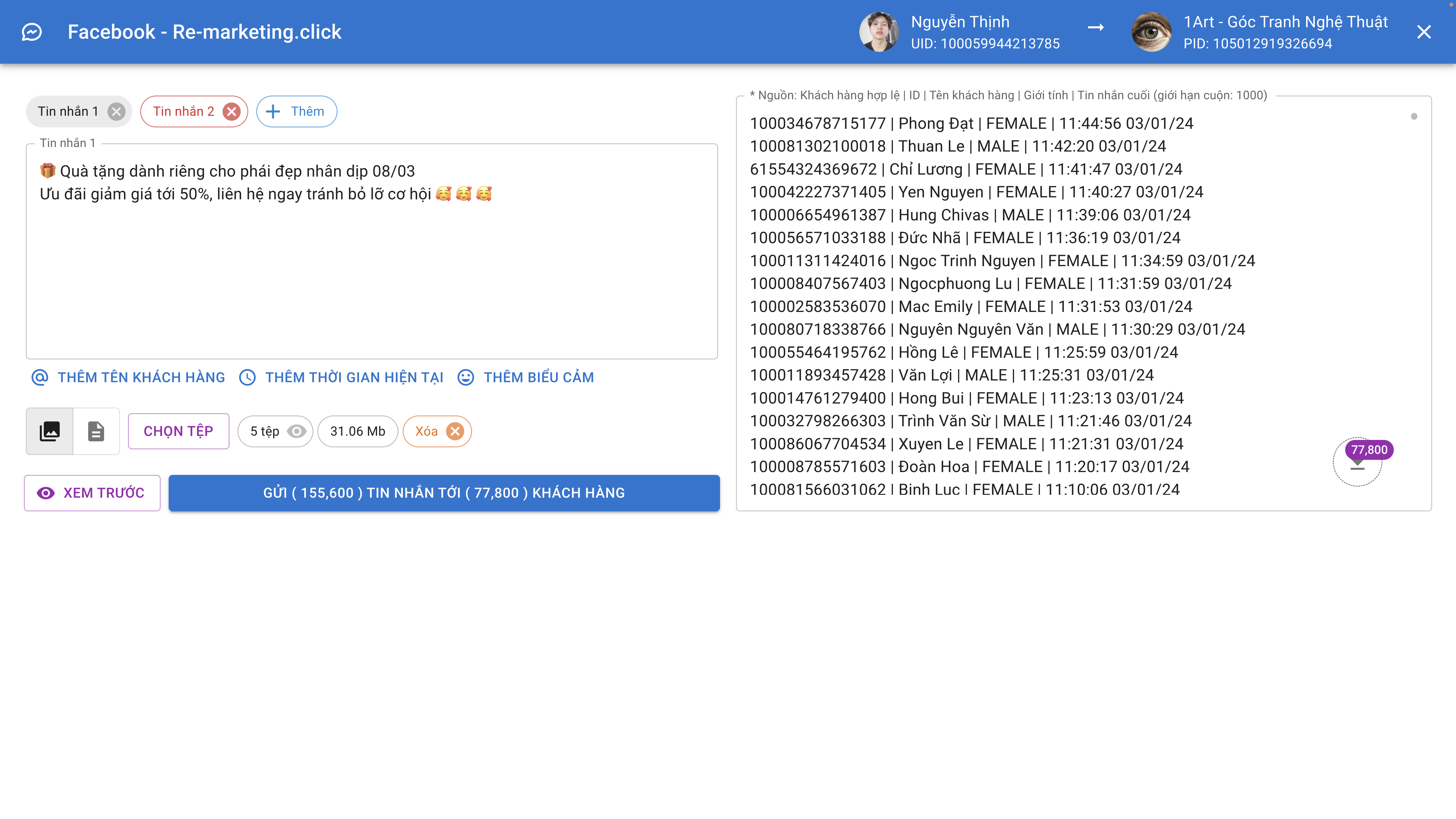
Giao diện gửi tin
Phần mềm duy nhất được Google Tin Tưởng - Có mặt tại 7 quốc gia